Showing posts with label InfoPath. Show all posts

Thursday, March 28, 2019

how to solve Infopath design cannot open an Infopath form required full trust

i was asked to edit a InfoPath form. however I always receive the following popup message


complaining that the template is not full trust. you must install the server certifcate etc.. actually this message is quite misleading. the root cause of this issue is that if you do not launch InfoPath Designer with Run as Administrator option

Wednesday, July 20, 2011

How to clear a InfoPath Form with a click

when i design a fillable form with InfoPath 2010. the user ask me if i can add a button. that they can clear a form

you can setup a rule to handle clearing all the fields or set those fields with empty value.

 first you can select the button that will handle the clear all fields event.


click on the New Dropdown List control to select  Action from the dropdown list.


then you can select Set a Field's Value from Add DropDown List which Beside Run These Actions:

click on the button beside the text box under Field Label


select the fields that you need to clear


leave this Value Empth.

you can repeat the above steps serveral times for multiple fields actions.


after you can complete the run setting, the button will be able to clear all the fields that the rule had been set.

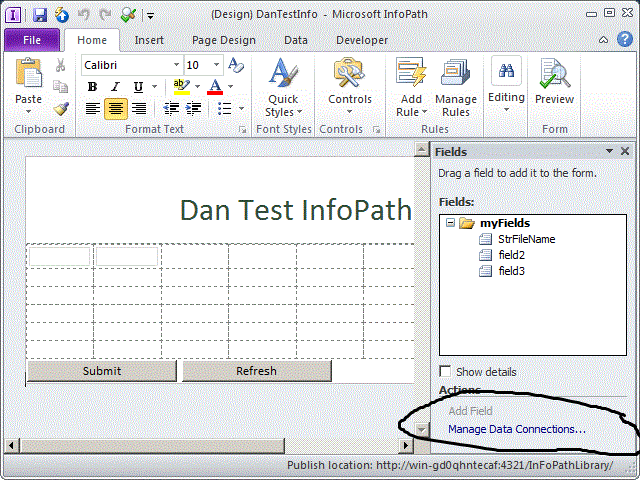
How to Automatically Generate a FileName of InfoPaht Form in InfoPath 2010

when you design a form or report in InfoPaht 2010. then you publish it the Form Library.

it runs good since you can submit it to the Form Library via Data Connection File.

However you can perform the second test, it always popup an error windows complaining that the file Name

already exists in the library.

you can fix this issue by modifying the Data Connections


then click on Fx button to Open the Expression Edit Windows


Type this file Name concat("MyCustomForm","_",now()) in Expression Editor


click on to close the Expression Editor and click through the next button to update the Data

Connections.

finally click on the publish Button to update the form in the Sharepoint site.

then you can test the form without out  Same File Name Existing Error.